Being a student in Pakistan in 2026 is both exciting and challenging.
The syllabus is heavy. The competition is tough. And most premium study tools cost money in dollars — which is expensive when you are paying in rupees.
But here is the good news: the best AI tools in the world are completely free. And Pakistani students who are using them right now are finishing assignments faster, understanding concepts better, and scoring higher than ever before.
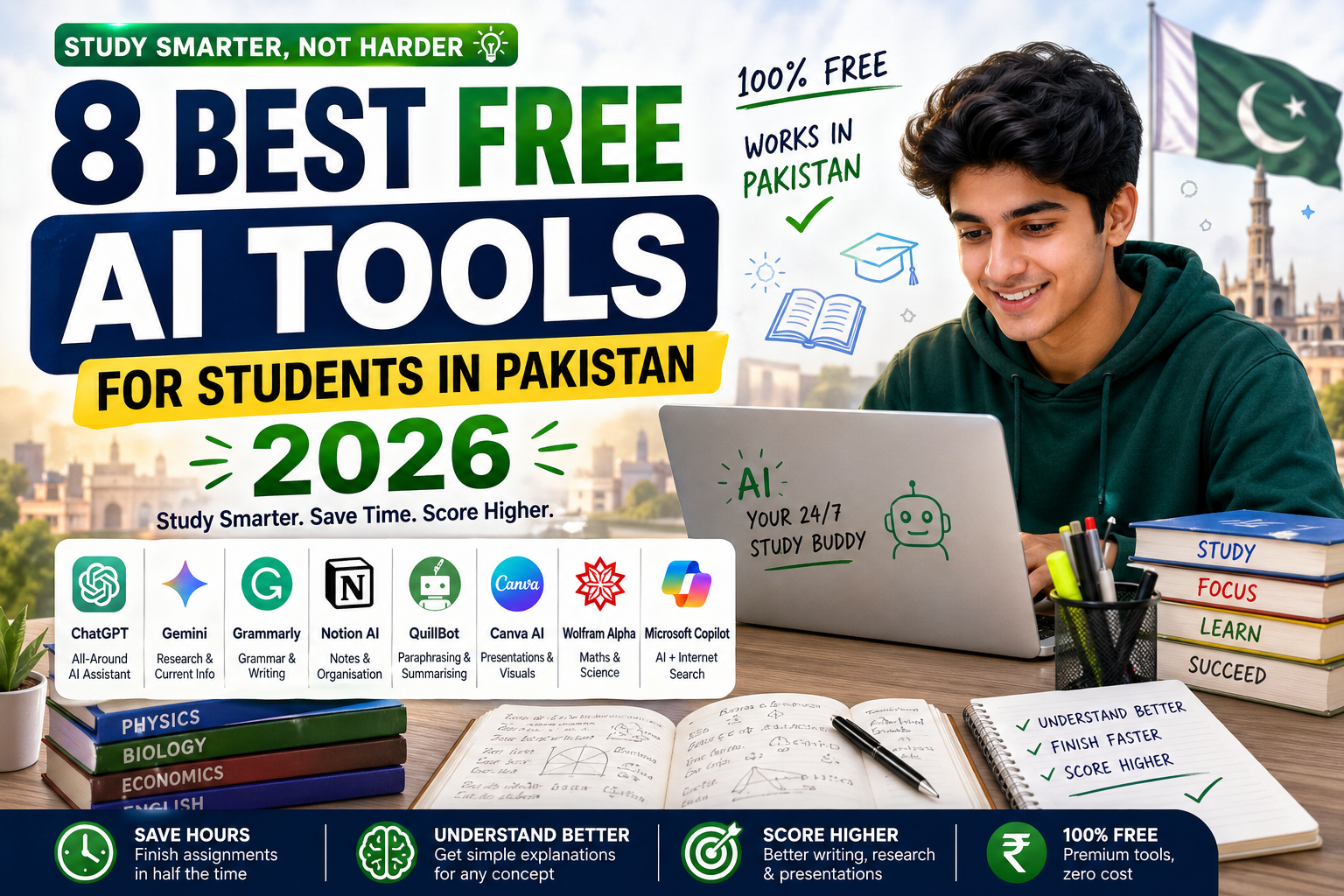
I have tested all of these tools myself. In this guide, I will show you the 8 best free AI tools for students in Pakistan — what they do, how to use them, and which ones are best for which subjects.
Let’s dive in.
Why Pakistani Students Need AI Tools in 2026
Before we get into the list, let me explain why this matters.
The average Pakistani student spends 3–5 hours on a single assignment — researching, writing, editing, and formatting. AI tools can cut that time in half, giving you more time to actually understand your subject deeply.
These tools do not do your work for you — they help you work smarter. Think of them as a tutor, a writing assistant, and a research helper all in one — available 24 hours a day, completely free.
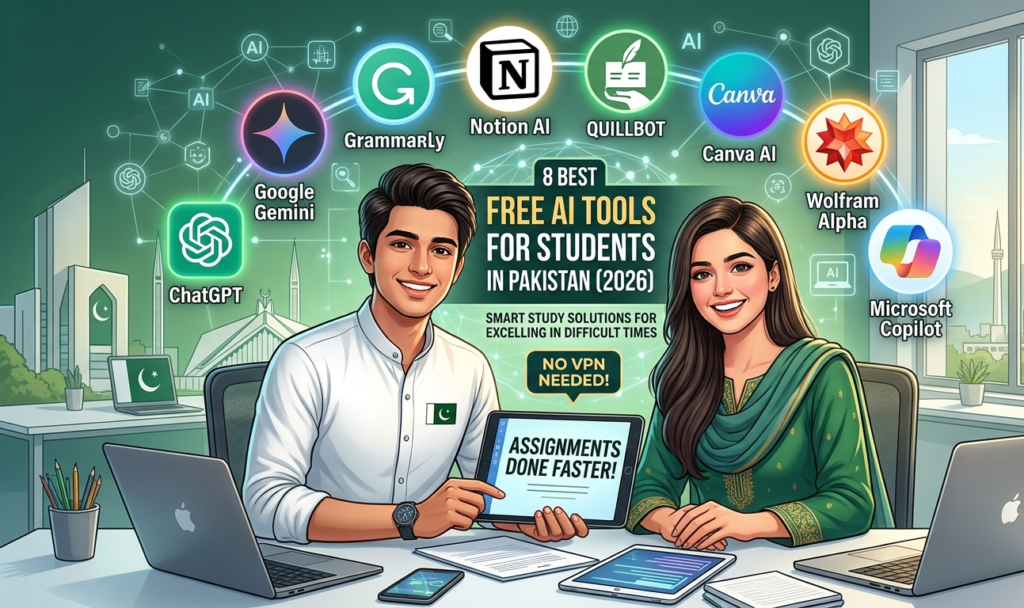
And unlike many online resources, most of these tools work in Pakistan without a VPN.
1. ChatGPT (Best All-Around AI for Students)
Website: chat.openai.com Free plan: Yes — GPT-4o mini is completely free Works in Pakistan: Yes
If you only use one AI tool as a student, make it ChatGPT.
ChatGPT can explain any concept in simple language, help you write essays, summarize long chapters, translate between Urdu and English, solve math problems step by step, and answer questions on almost any subject.
How Pakistani students are using it:
- “Explain photosynthesis to me like I am 12 years old”
- “Summarize this 10-page chapter in 300 words”
- “Write an essay outline on the causes of World War 1”
- “Translate this paragraph from English to Urdu”
- “Help me solve this algebra equation step by step”
Best for: Every subject — especially essay writing, research, and concept understanding.
Pro tip: Always ask ChatGPT to “explain step by step” for math and science questions. You will understand far better than just reading a textbook.
2. Google Gemini (Best for Research + Current Information)
Website: gemini.google.com Free plan: Yes — Gemini 1.5 Flash is free Works in Pakistan: Yes
Google Gemini is Google’s AI assistant and it is excellent for students because it has access to current, up-to-date information — unlike some other AI tools that have outdated knowledge.
This makes it perfect for research assignments, current affairs, news-based essays, and any topic where you need recent data.
How Pakistani students are using it:
- Researching current events for Pakistan Studies or Islamiat assignments
- Finding recent statistics for economics papers
- Getting up-to-date information on science discoveries
- Asking for multiple sources and perspectives on a topic
Best for: Research assignments, current affairs, Pakistan Studies, Economics.
Pro tip: Ask Gemini: “Give me 5 recent facts about [topic] with sources I can cite in my assignment.” It saves hours of Googling.
How to Make Money With AI in 2026
3. Grammarly (Best for English Writing)
Website: grammarly.com Free plan: Yes — very powerful even on free version Works in Pakistan: Yes
Many Pakistani students write well in Urdu or their native language but struggle with English grammar, punctuation, and style. Grammarly fixes this completely.
It checks your writing for grammar mistakes, spelling errors, unclear sentences, and punctuation — in real time, as you type.
How Pakistani students are using it:
- Proofreading assignments before submission
- Improving English writing skills over time by learning from corrections
- Fixing emails to professors and teachers
- Polishing scholarship application essays
Best for: Any subject that involves English writing — especially for students in English medium schools and universities.
Pro tip: Install the Grammarly browser extension — it will check your writing automatically on Google Docs, Gmail, and even WhatsApp Web.
4. Notion AI (Best for Notes + Organisation)
Website: notion.so Free plan: Yes — includes basic AI features Works in Pakistan: Yes
Notion is a free note-taking and organisation app. With its built-in AI, you can paste your lecture notes and ask it to summarise them, create flashcards from them, or turn them into a study guide.
For students who struggle to organise their notes and study material, Notion AI is a game changer.
How Pakistani students are using it:
- Pasting long lecture notes and asking AI to create a summary
- Making study timetables and assignment trackers
- Creating flashcard-style revision notes from chapters
- Organising all subjects in one place
Best for: All students — especially those in university with multiple subjects and heavy workloads.
Pro tip: At the start of every exam week, paste all your notes into Notion and ask: “Create a 1-page revision summary of these notes.” You will have a perfect cheat-sheet for revision.
5. Quillbot (Best for Paraphrasing + Summarising)
Website: quillbot.com Free plan: Yes — paraphrasing and summariser are free Works in Pakistan: Yes
Quillbot is one of the most popular AI tools among students worldwide — and for good reason. It helps you paraphrase (rewrite in your own words) and summarise long texts quickly.
When you have a long research paper or article and need to understand the key points, Quillbot’s summariser tool can condense it in seconds.
How Pakistani students are using it:
- Paraphrasing copied text to avoid plagiarism in assignments
- Summarising long English articles for Urdu-medium students
- Improving sentence structure and vocabulary
- Rewriting rough drafts into polished, professional writing
Best for: Report writing, research assignments, English literature, and any assignment where you need to use source material.
Important note: Quillbot is a tool to help you write better — not to replace learning. Always understand the material yourself too.
6. Canva AI (Best for Presentations + Visual Projects)
Website: canva.com Free plan: Yes — extremely generous free plan Works in Pakistan: Yes
Almost every student needs to make a presentation at some point. Canva’s free AI features can generate entire presentation designs, suggest layouts, create infographics, and even write presentation content for you.
How Pakistani students are using it:
- Creating professional PowerPoint-style presentations in minutes
- Making infographics for science and geography projects
- Designing posters for class assignments
- Building a professional CV / resume for job applications
Best for: Any subject requiring visual presentation — science projects, business studies, geography, and final year projects.
Pro tip: In Canva, click “Create with AI” → type your presentation topic → it will generate a complete slide deck with design, layout, and content. Edit it and you’re done in 20 minutes.
7. Wolfram Alpha (Best for Maths + Science)
Website: wolframalpha.com Free plan: Yes — core features are free Works in Pakistan: Yes
Wolfram Alpha is a computational AI that solves maths problems and science calculations with full working steps shown. It is not just a calculator — it shows you HOW it solved the problem, which helps you actually learn.
How Pakistani students are using it:
- Solving algebra, calculus, and statistics problems step by step
- Checking physics and chemistry calculations
- Understanding graphs and functions
- Converting units (great for physics and chemistry)
Best for: Matric and FSc students studying Maths, Physics, Chemistry, and Statistics.
Pro tip: Type your equation or problem exactly as it appears in your textbook. Wolfram Alpha will solve it and show every step — use it to check your own work and understand where you went wrong.
8. Microsoft Copilot (Best Free Alternative to ChatGPT Plus)
Website: copilot.microsoft.com Free plan: Yes — uses GPT-4 for free Works in Pakistan: Yes
Microsoft Copilot is actually powered by the same technology as ChatGPT — but it is completely free and has internet access. This means you get the power of a premium AI without paying anything.
It is excellent for students who want ChatGPT quality but cannot access or afford the paid version.
How Pakistani students are using it:
- Writing and editing essays with internet-connected AI
- Generating images for projects (free!)
- Getting help with coding (for CS students)
- Research with real-time web search built in
Best for: University students, CS and IT students, and anyone who wants a free upgrade from basic ChatGPT.
Pro tip: Ask Copilot to search for recent research papers or news on your topic. It gives you live, sourced information — perfect for university-level assignments.
Quick Comparison Table
| Tool | Best For | Free? | Works in Pakistan? |
|---|---|---|---|
| ChatGPT | Everything | ✅ Yes | ✅ Yes |
| Google Gemini | Research | ✅ Yes | ✅ Yes |
| Grammarly | English writing | ✅ Yes | ✅ Yes |
| Notion AI | Notes & organisation | ✅ Yes | ✅ Yes |
| Quillbot | Paraphrasing | ✅ Yes | ✅ Yes |
| Canva AI | Presentations | ✅ Yes | ✅ Yes |
| Wolfram Alpha | Maths & Science | ✅ Yes | ✅ Yes |
| Microsoft Copilot | AI + Internet search | ✅ Yes | ✅ Yes |
How to Get Started Today (Beginner Steps)
If you have never used any AI tool before, here is exactly how to start:
- Go to chat.openai.com — create a free account using your Gmail
- Type your first question — for example: “Explain the water cycle in simple English for a Class 9 student”
- See how it answers — ask follow-up questions
- Try it for your current assignment or upcoming exam
That is it. No payment needed. No download required. Just open it in your browser and start.
Once you are comfortable with ChatGPT, add Grammarly to your browser (takes 2 minutes to install) and use Canva for your next presentation.
Frequently Asked Questions
-
Are these AI tools safe to use for assignments in Pakistan?
Yes, these tools are safe to use. However, always check your school or university’s policy on AI use. Most institutions allow AI as a research and writing aid — but submitting 100% AI-generated work without editing is considered academic dishonesty.
-
Do I need a VPN to use these tools in Pakistan?
No. All 8 tools listed in this article work in Pakistan without a VPN. You only need an internet connection and a free account.
-
Which AI tool is best for Matric students in Pakistan?
For Matric students, the best combination is: ChatGPT for understanding concepts, Wolfram Alpha for maths and science problems, and Grammarly for English assignments.
-
Which AI tool is best for university students in Pakistan?
For university students: ChatGPT or Microsoft Copilot for research and writing, Notion AI for organising notes, and Canva AI for presentations and final year project reports.
-
Can I use these tools on my phone?
Yes. ChatGPT, Gemini, Grammarly, Canva, and Copilot all have free mobile apps. You can use them on any Android or iOS phone.
-
Will using AI tools help me actually learn or just copy?
It depends on HOW you use them. If you use AI to understand difficult concepts, check your work, and improve your writing — you will learn faster. If you just copy AI answers without reading them, you will not learn anything. Use them as a helper, not a replacement.
Final Thoughts
The students who succeed in 2026 are not the ones who work the hardest — they are the ones who work the smartest.
These 8 free AI tools are available to every student in Pakistan right now. They cost nothing. They require no special computer. And they can genuinely transform how you study, write, and learn.
Start with one tool today. Try ChatGPT for your next assignment. Then slowly add Grammarly and Canva to your toolkit. Within one month, you will wonder how you ever studied without them.
Got a question about any of these tools? Drop it in the comments below — I read every one.
Found this helpful? You might also like: How to Use ChatGPT for Freelancing Beginners and How to Make Money With AI in 2026
Have any thoughts?
Share your reaction or leave a quick response — we’d love to hear what you think!
-
 0
0
-
 0
0
-
 0
0
-
 0
0
-
 0
0
-
 0
0