Google Nano Banana Pro is the most precise, controllable, and instruction-following image model so far. With strong prompt adherence, text rendering, camera control and deep world understanding, it is capable of executing and generating complex logic, detailed compositions, and ultra-clean photo edits with high consistency.
Nano-Banana Pro is a significant leap forward from previous generation models, moving from “fun” image generation to “functional” professional asset production. It excels in text rendering, character consistency, visual synthesis, world knowledge (Search), and high-resolution (4K) output.
What Are Nano Banana Prompts?
Nano banana prompts are ultra-concise, highly effective text instructions used in AI image generation tools like Midjourney, DALL-E, or Stable Diffusion. The “banana” part? It’s a playful reminder that even something as simple as describing a banana can create extraordinary visuals when done right.
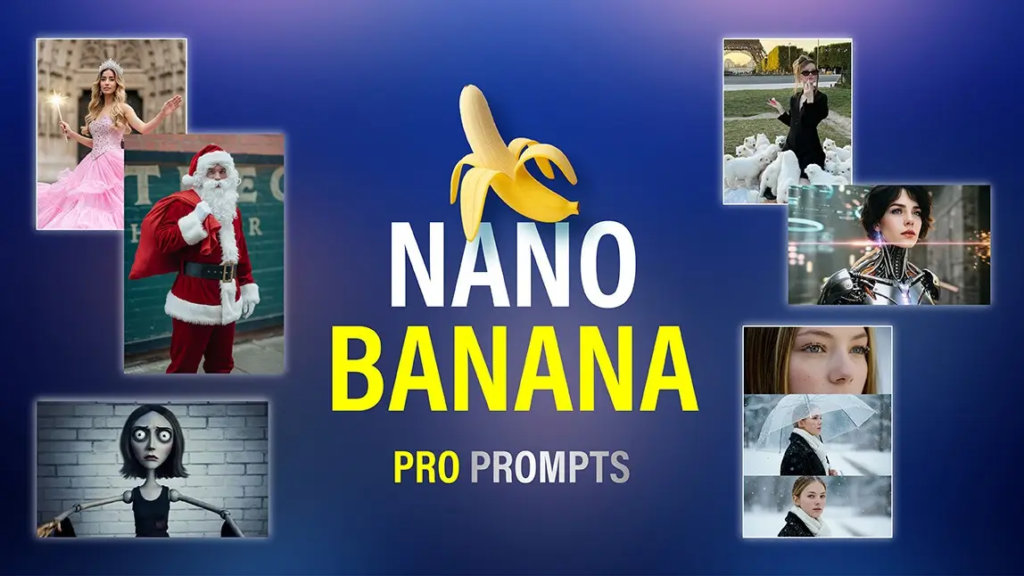
These prompts typically contain:
- 3–8 carefully chosen words
- One primary subject
- One style descriptor
- Optional quality enhancers
The magic happens when every single word pulls its weight. No fluff, no redundancy — just pure creative power.
The “Perfect Prompt” Formula
To get SOTA (State-of-the-Art) results from Nano Banana Pro, stop using 2023-era prompts. The model understands natural language and distinct structural components.
The Formula:
[Subject + Adjectives] doing [Action] in [Location/Context]. [Composition/Camera Angle]. [Lighting/Atmosphere]. [Style/Media]. [Specific Constraint/Text].
- Subject: A translucent glass robot barista
- Action: pouring latte art
- Location: inside a cozy cyberpunk coffee shop
- Composition: Macro close-up shot, shallow depth of field (f/1.8)
- Lighting: Neon pink and teal reflections
- Style/Media: Cinematic 8K render, Octane-style
- Constraint/Text: Chest display reads “WAKE UP” in bold LCD font
High-Performance Prompt Templates
Copy and paste these templates into the Atlabs AI Image Generation Tool to test the model’s capabilities.
1. The “Text-Perfect” Marketing Asset
Best for: Logos, Posters, Social Media Ads.
Prompt
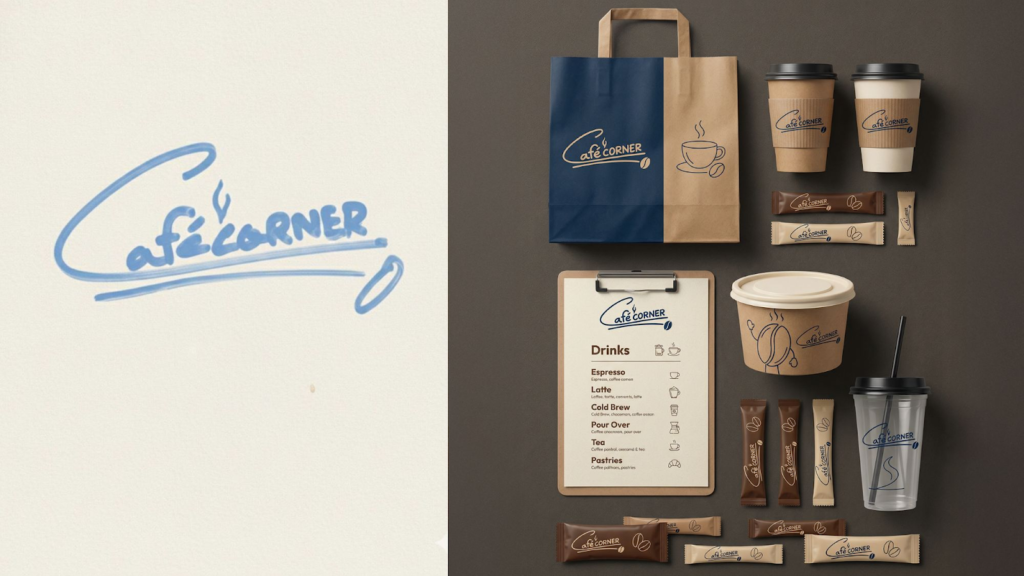
Create a full branding set for this logo
Create a complete brand identity kit for a modern tech startup named “NovaEdge Systems,” including logo variations, color palette, typography system, icon set, pattern language, and layout rules. The style should be clean, futuristic, minimal, and consistent across all assets.
Generate realistic brand mockups for this “AstraLoop Studio” logo applied to a business card, letterhead, notepad, envelope, and ID badge. Use premium materials, soft shadows, and a clean studio aesthetic to convey a polished corporate identity.
Develop a full visual brand identity system for “FluxBeam Labs,” including logo clear-space rules, do/don’t usage, brand patterns, grid system, color variations, and sample branded layouts for web + print. Style direction: geometric, energetic, and tech-forward.
Create high-resolution mockups showing the “Skyline Robotics” brand logo and tagline applied to neon signage, packaging boxes, stickers, a hoodie, a coffee mug, and a laptop decal. Visual tone: youthful, modern, bold, and startup-friendly.
2. The “Brand Consistency” Workflow (Multi-Shot)
Best for: Designers using Reference Images.
(Upload 3-5 images of your product/character first)
Prompt:
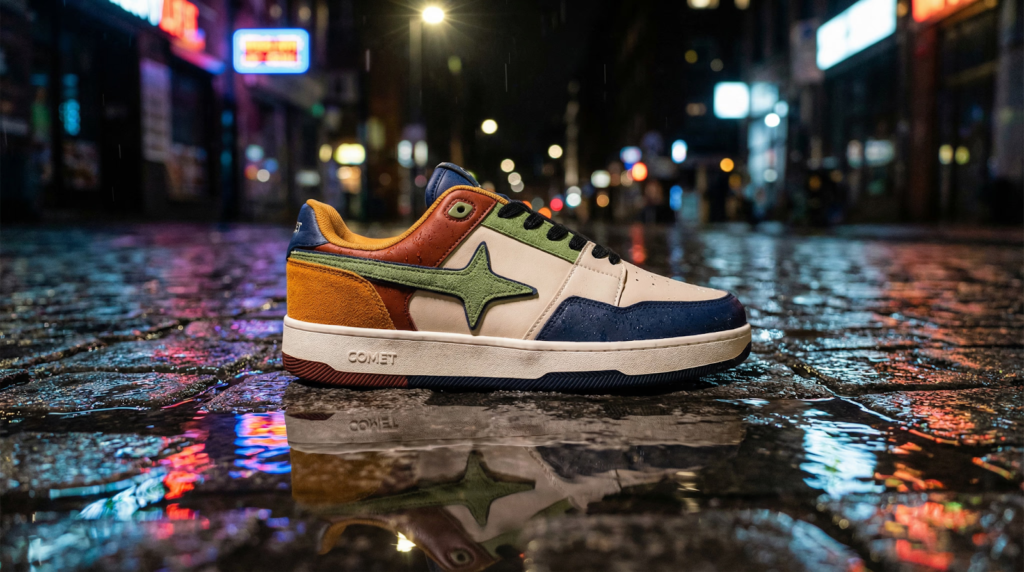
“Using the attached reference images of ‘Sneaker X’, generate a lifestyle photography shot of the sneaker sitting on a wet city street at night. Maintain the exact logo placement and colorway of the reference. Cinematic lighting, 4K resolution.”
3. Image to Image Prompts
A dramatic ultra-wide, low-angle group shot taken from ground level looking straight up (worm’s-eye view / bottom-up perspective). The camera is placed almost on the floor, pointing vertically toward the sky. A group of 6–8 people form a loose circle around the camera, leaning in and looking directly down into the lens as if they just discovered it on the ground. Their faces and hands are close to the lens, creating a slightly stretched, fisheye effect. Some people are reaching toward the camera with their hands, pointing, waving, or making playful hand signs. Others are laughing, smirking, or making bold, expressive faces. The mood is energetic, carefree, rebellious, fun, street-style and Gen-Z coded. The sky above should be clear blue and occupy the center of the composition. Buildings or walls should appear slightly on the edges, framing the circle of faces. Style:– Use a wide-angle / fisheye lens (10mm–14mm)– Strong foreground distortion on hands + faces– Bright, saturated colors– High contrast, punchy sunlight– Slight overexposure on skin highlights– Crisp detail, high shutter speed to freeze motion Posing direction for people:– Lean in toward the camera– Crowd the frame– Use bold hand gestures– Tilt heads at different angles– Make it playful / chaotic / dynamic Overall vibe: Y2K, street fashion, festival energy, skateboard / hip-hop / creative youth culture.
4.. Scene Transformation & Realism
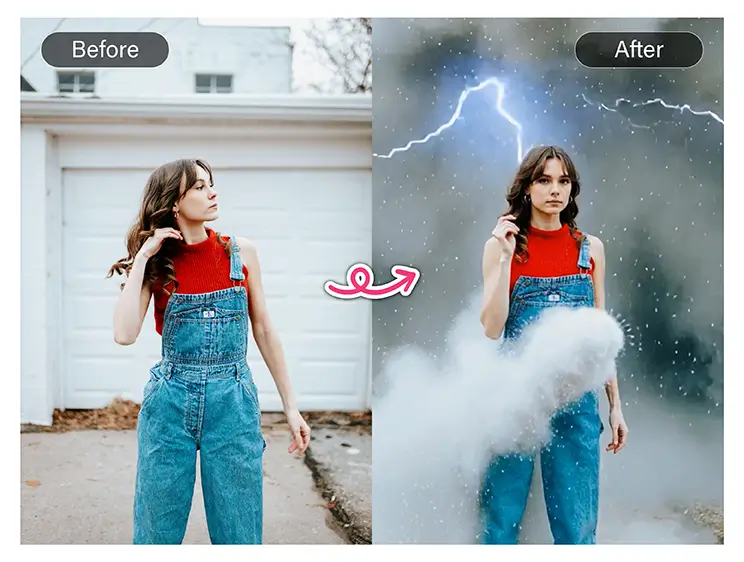
prompt:
“Generate a photorealistic version of this person 20 years older. Keep facial structure, hairstyle, and expression while adding subtle wrinkles and skin texture.
“Weather / Lighting Change:
“Transform this daytime photo into a snowstorm scene. Add falling snowflakes, overcast lighting, soft shadows, and maintain the original subjects.”
5. Logical / Advanced Prompts
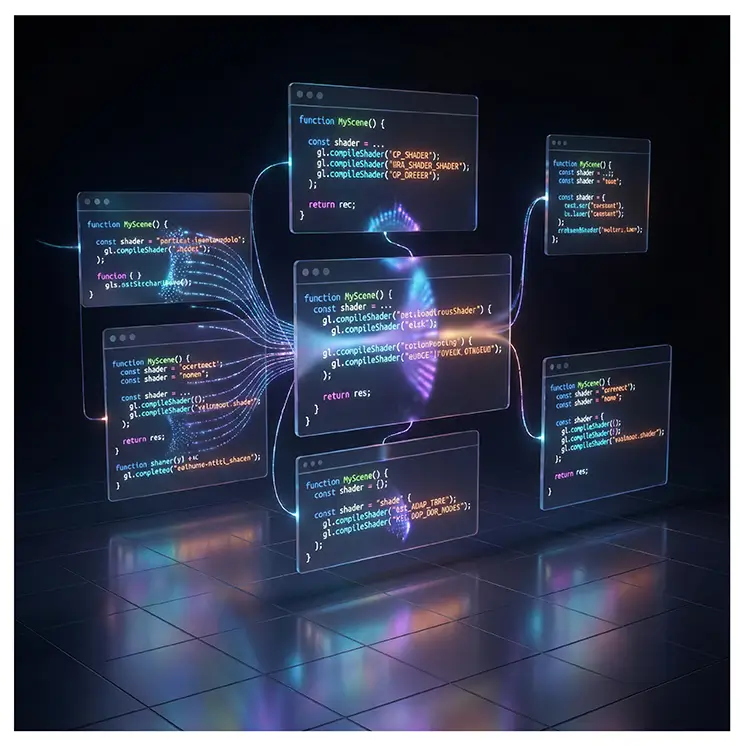
prompt:
Whiteboard Summary:
“Create a whiteboard-style infographic summarizing key points of the uploaded article. Include clean handwriting-style text, arrows, diagrams, and minimal color. AI should logically structure content.”
Code Visualization:
“Render uploaded React + WebGL shader code as a 3D scene: floating UI, shader effects, color gradients. Preserve code structure visually in the environment.”
6.The “Fact-Grounded” Infographic
Best for: Educational content, Manuals, Presentations.
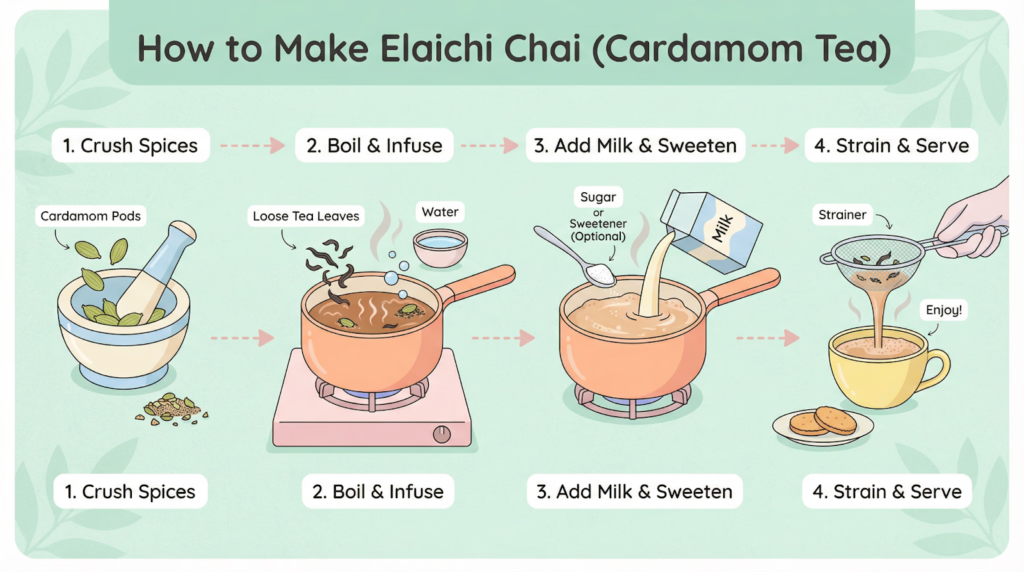
Prompt: “Generate a step-by-step infographic showing how to make Elaichi Chai. Use the model’s world knowledge to include accurate ingredients like cardamom pods, loose tea leaves, and milk. Style: Clean vector art with pastel colors. Label the ingredients correctly.”
7.Infographics / Educational Visuals
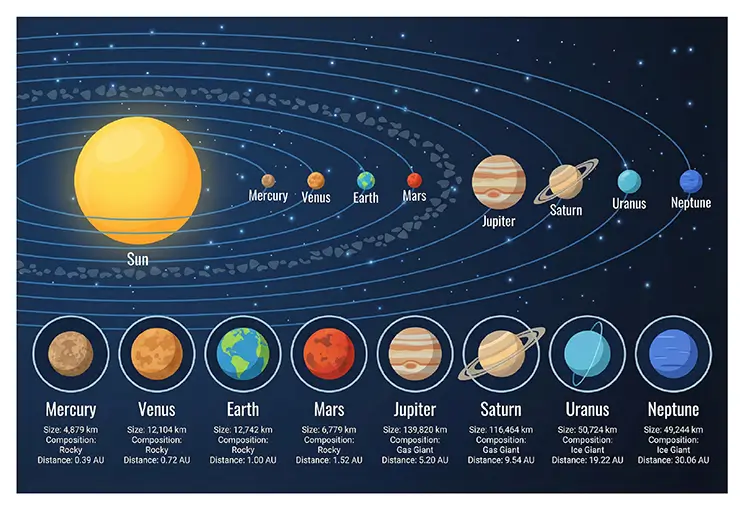
prompt
Solar System Infographic:
“Create an ultra-HD infographic of the solar system. Add labels and key features for each planet (size, composition, orbital distance). Use clean, modern vector icons and a soft color palette.”
Decision Tree Diagram:
“Generate a top-down infographic explaining a decision tree in machine learning. Use arrows, labeled nodes (‘root’, ‘branch’, ‘leaf’), and a small dataset example. Modern educational style, soft lighting.”
8. Manga and Anime Prompt
Create Manga with Nano Banana Pro
Prompt
Create a manga of these characters and show the stand off between Messi and Ronaldo.
A high-impact, comic-style mega-mashup of iconic meme figures collaboratively driving an action-packed, retro-vibe crossover scene.
A dynamic and intense close-up portrait in a graphic novel or comic book art style, featuring a male character with long, dark, slightly messy hair and a short beard, wearing a suit and tie. His eyes are glowing with furious, stylized yellow energy or smoke, extending outwards. His expression is one of extreme anger, determination, and pain, with gritted teeth and visible facial scars or distress. Dominating the image is a bold, bright red “X” drawn over his face, extending from corner to corner of the frame, symbolizing danger, a target, or a “no entry” warning. The artwork is characterized by strong, confident black ink lines, high contrast, and a gritty, textured, almost sketched quality. The color palette is stark: black, white, red, and vibrant yellow for he eyes, on a clean white or light grey background.
9. One-Shot Storyboarding & Concept Art
You can generate sequential art or storyboards without a grid, ensuring a cohesive narrative flow in a single session. This is also popular for “Movie Concept Art” (e.g., fake leaks of upcoming films).
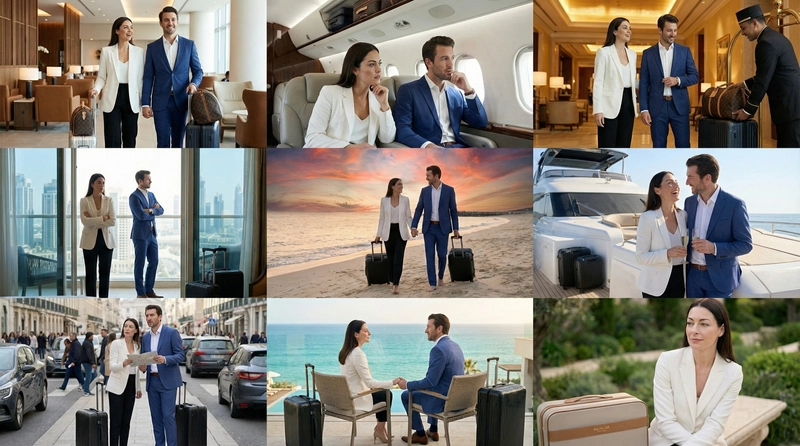
Example Prompt:
“Create an addictively intriguing 9-part story with 9 images featuring a woman and man in an award-winning luxury luggage commercial. The story should have emotional highs and lows, ending on an elegant shot of the woman with the logo. The identity of the woman and man and their attire must stay consistent throughout but they can and should be seen from different angles and distances. Please generate images one at a time. Make sure every image is in a 16:9 landscape format.”
10. Grounding with Google Search
Nano-Banana Pro uses Google Search to generate imagery based on real-time data, current events, or factual verification, reducing hallucinations on timely topics.
Best Practices:
- Ask for visualizations of dynamic data (weather, stocks, news).
- The model will “Think” (reason) about the search results before generating the image.
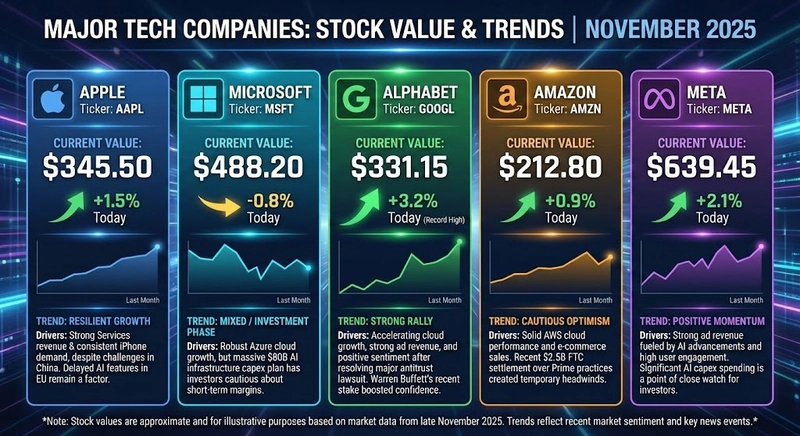
Example Prompts:
Real-Time Data Visualization:
“Visualize the current stock value of the main tech companies and the current trends. For each, add some explanation on what happened recently which could explain that trend.”
Ready to create and remix photos with Google Nano Banana Pro?
With this guide, you now have a structured approach to writing precise and structured high-quality prompts with a rich collection of 75 ready-to-use examples across 11 categories. Next step? ImagineArt is giving Google Nano Banana Pro free for a limited time: start experimenting with photo editing, text rendering, and brand identity. With Nano Banana Pro x ImagineArt, make a creative workflow with unmatched versatility.
Prompting Tips for Nano Banana Pro
Google has published a short but useful guide on how to craft better prompts for Nano Banana Pro. It reinforces many of the principles covered in this issue—especially the importance of defining a clear work surface and using structured layouts.
Happy creating with AI!